وَٱلسَّمَآءِ ذَاتِ ٱلْحُبُكِ
By the sky with its woven paths
قسم ہے بُنی ہوئی راہوں والے آسمان کی
Every reflection, finally connected
Tag themes, write reflections, record questions and link verses right where you read. Hubuk gathers it all into a knowledge bank you can search and map — and shows you where to look next, through roots, repeated wording and similar verses.
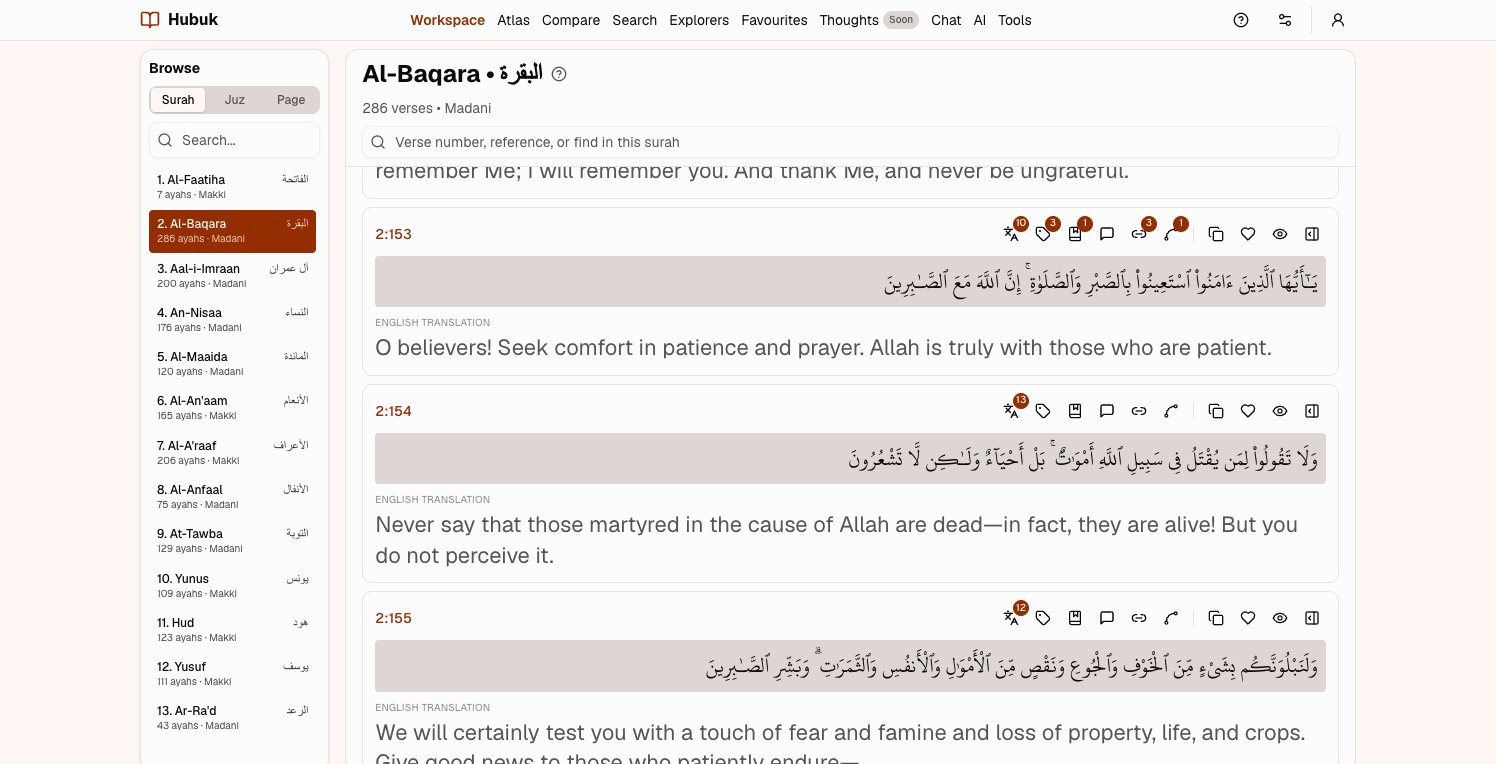
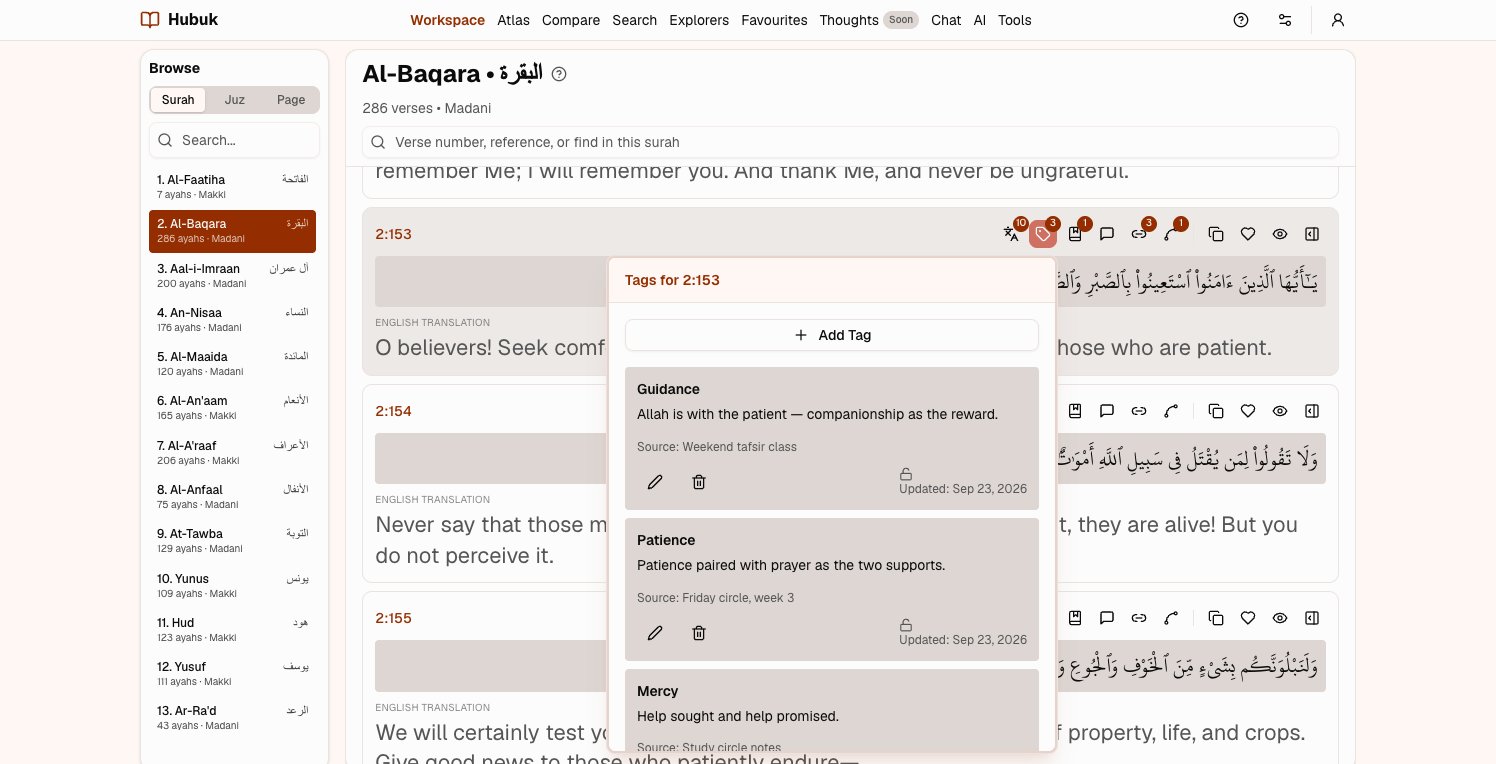
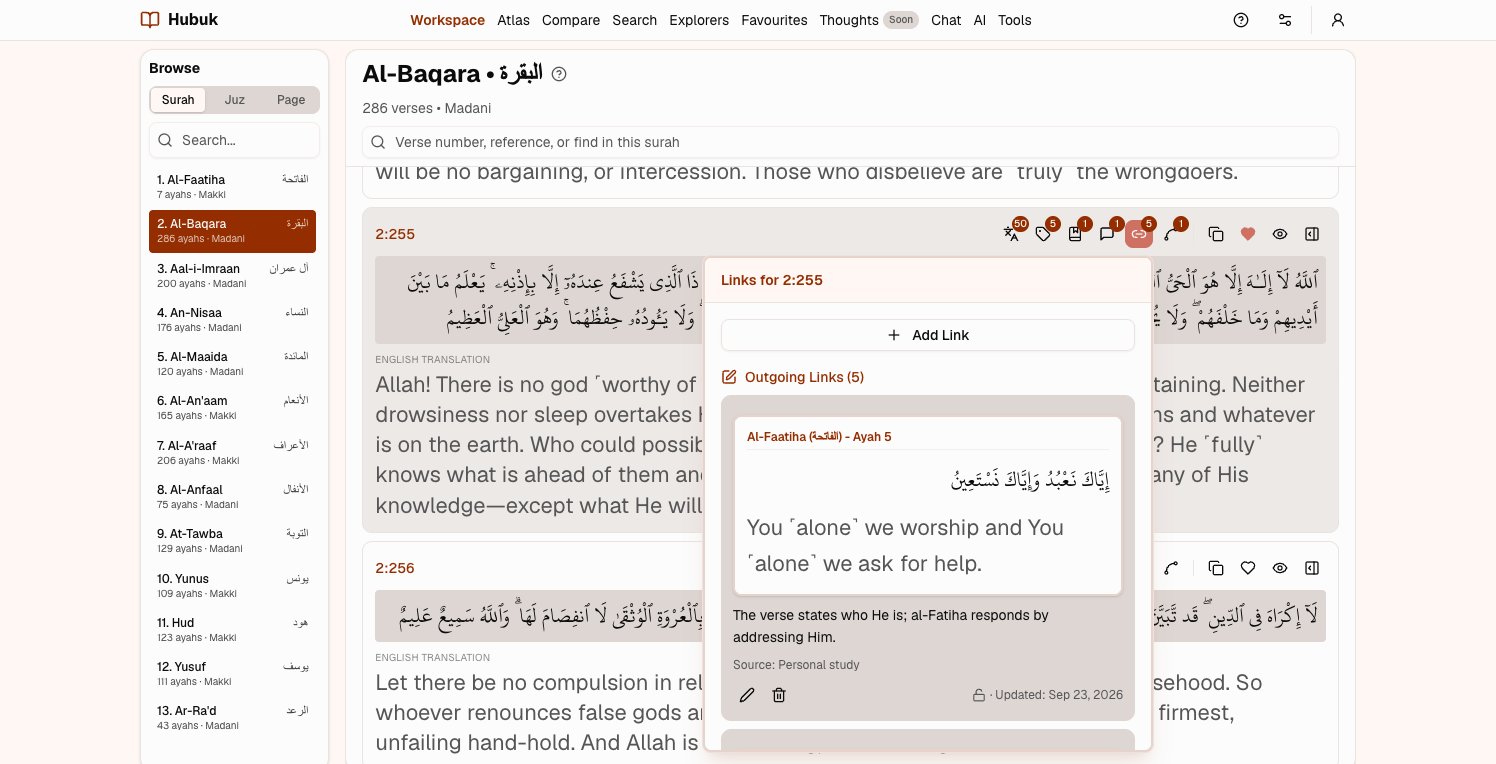
The Arabic with the translations and tafsir you choose, in one column.
حُبُك
ḥubuk
from the root ح ب ك, to weave tightly and well
The name
Why Hubuk
Ḥubuk comes from a root that means to weave something tightly and well. In 51:7 the Quran swears by a sky full of ḥubuk — paths laid so finely that the whole holds together — and the very next verse names the opposite: speech that contradicts itself.
Hubuk is where you trace those paths through the Quran: tag a theme, link a verse to the one it echoes, follow a root from surah to surah, until your study becomes a map of how it all connects.
How it works
Record. Connect. Compile.
Three habits, repeated as you read, that turn a stack of notes into a study you can find your way around.
Write it down where you read
- Tag a theme, and give the tag a meaning once
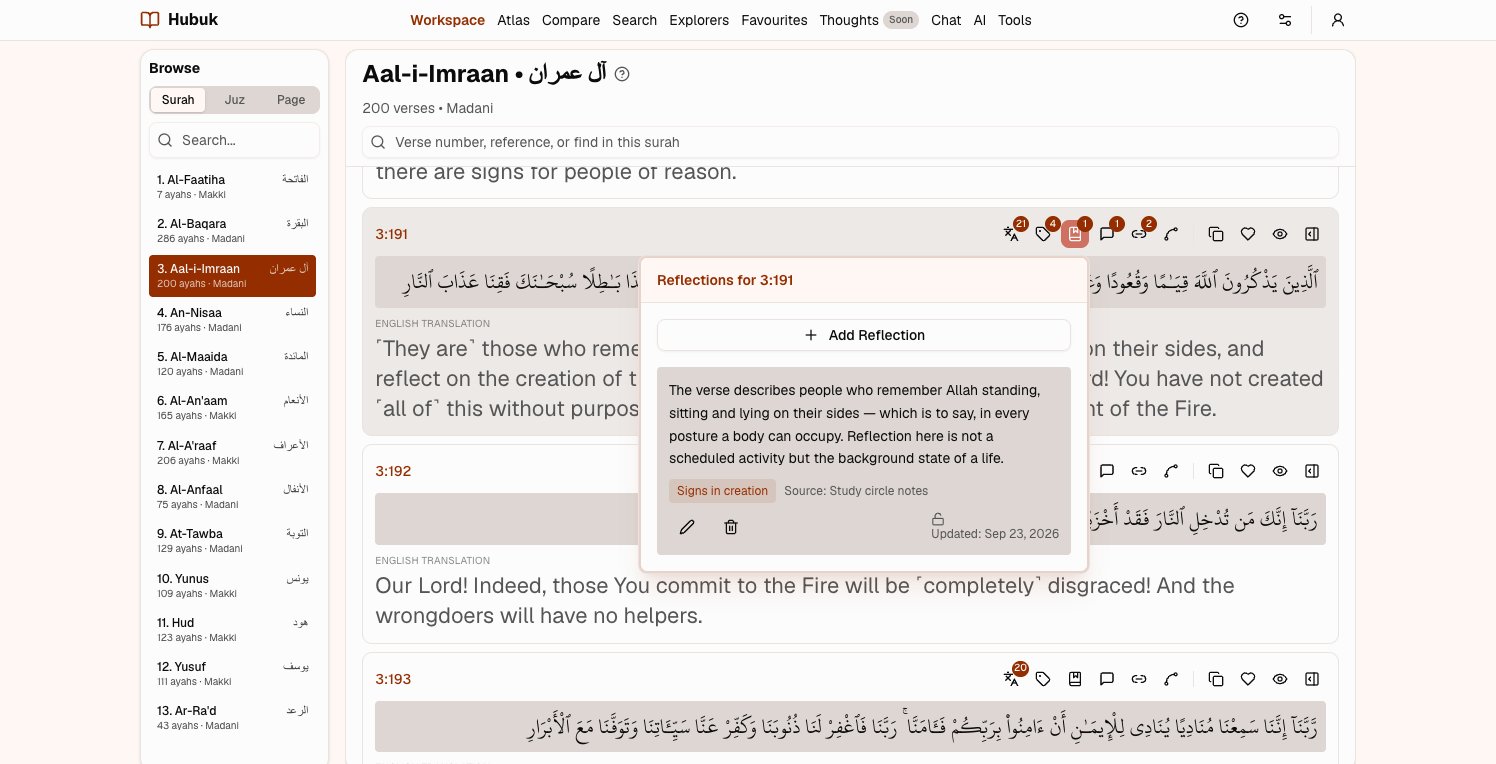
- A reflection for what struck you, a question for what you could not answer
- Cite the lecture, book or tafsir it came from, with a link
Link what belongs together
- Link one verse to another from the link icon beside it, with a line on why
- Link a single word to a word in any other verse
- Open surahs side by side and drag a verse onto its counterpart
Watch it become a body of knowledge
- The Explorer gathers every note under a theme, root or source
- The Atlas lays your notes over the whole Quran
- Search finds anything you have written, months later
Short films
See it done, one task at a time
Each film shows one thing in the real application — tagging a verse, linking two, following a root — most of them in under a minute.
The problem
You read. You reflect. Then it scatters.
Notes end up in margins, screenshots, and half-remembered moments. The connection you felt between two verses last month is gone by the time you need it. Real study deserves a place where nothing is lost — and everything links back.
The shift
One workspace where every insight has a home
Read the Arabic with the translations you choose. Tag a theme, jot a reflection, raise a question, or link verses together — right where you're reading, and tied to the verse for good.
- Capture notes, tags & links in place
- Roots, repeated wording and similar verses show you where to look
- Search and explore your whole knowledge base instantly
Where to look
Instruments that show you where to look
The Quran is densely connected to itself. Hubuk shows you those connections word by word, so you know what to record and what to link.
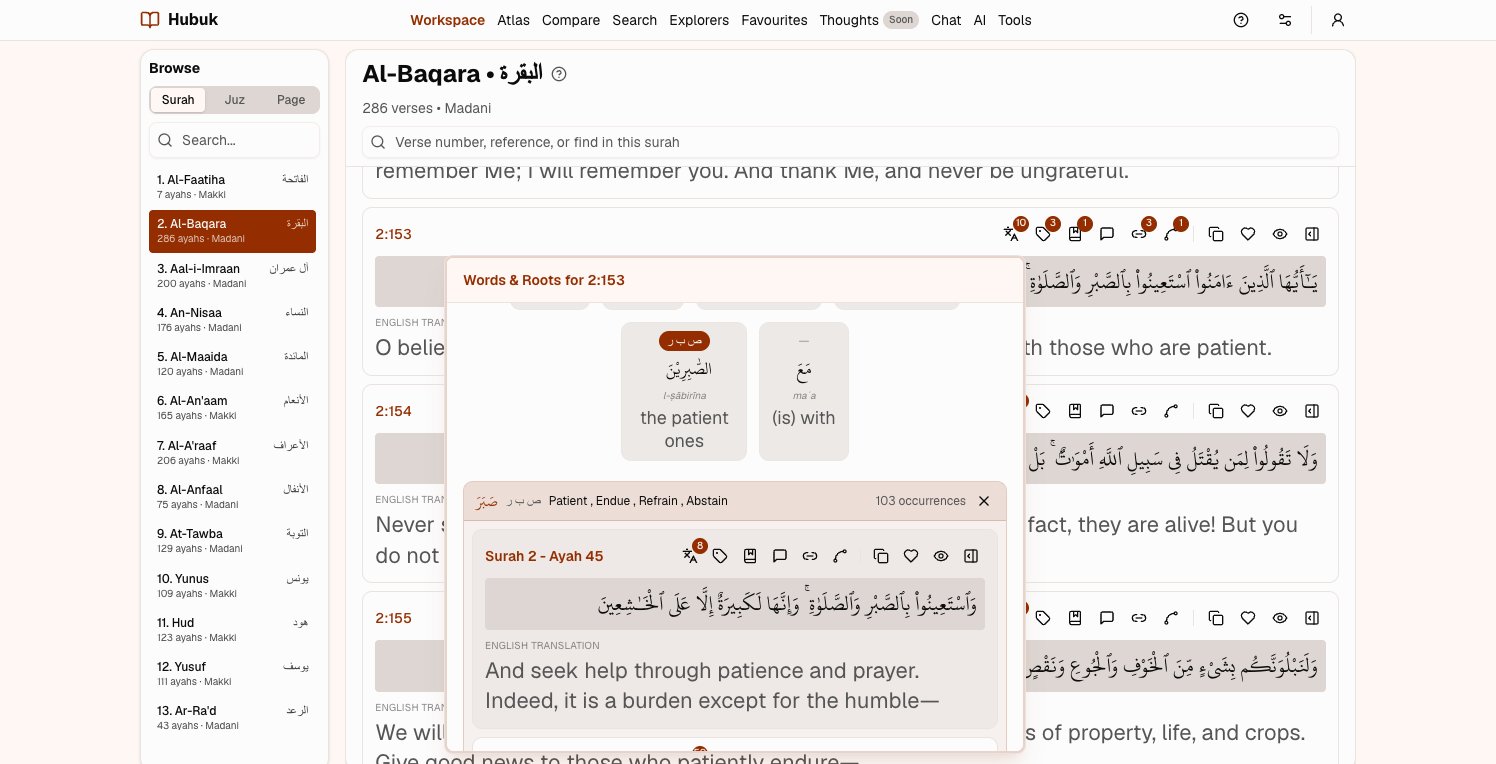
Every word, traced to its root
Tap a word to see its root and meaning, then every verse where that root appears — and tag the ones that belong to your theme.
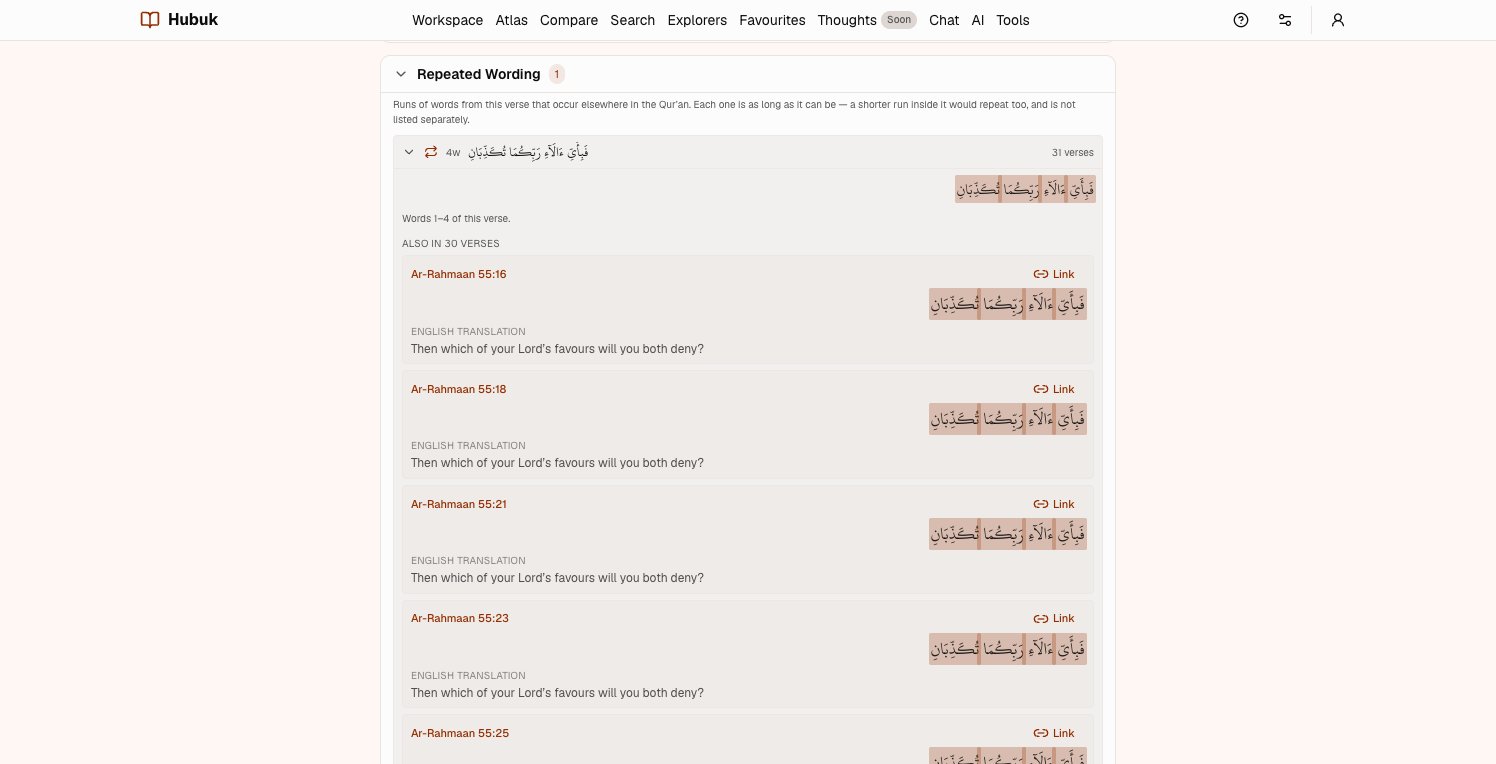
Where the same wording returns
The exact phrases a verse shares with the rest of the Quran, and how many verses and surahs they reach.
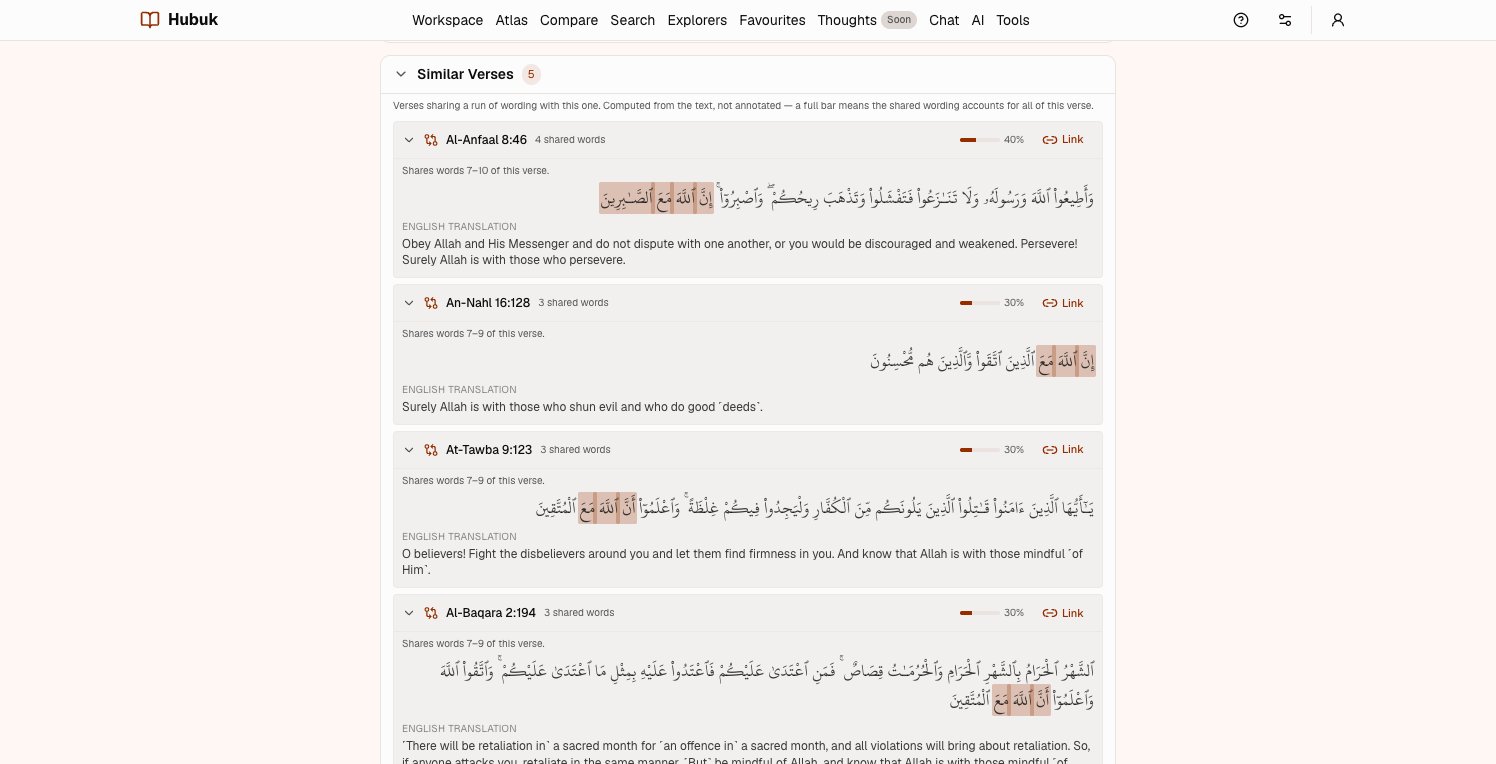
Verses that mirror each other
Similar verses, ranked, with the shared words marked — and one click to link the pair with a note on why.
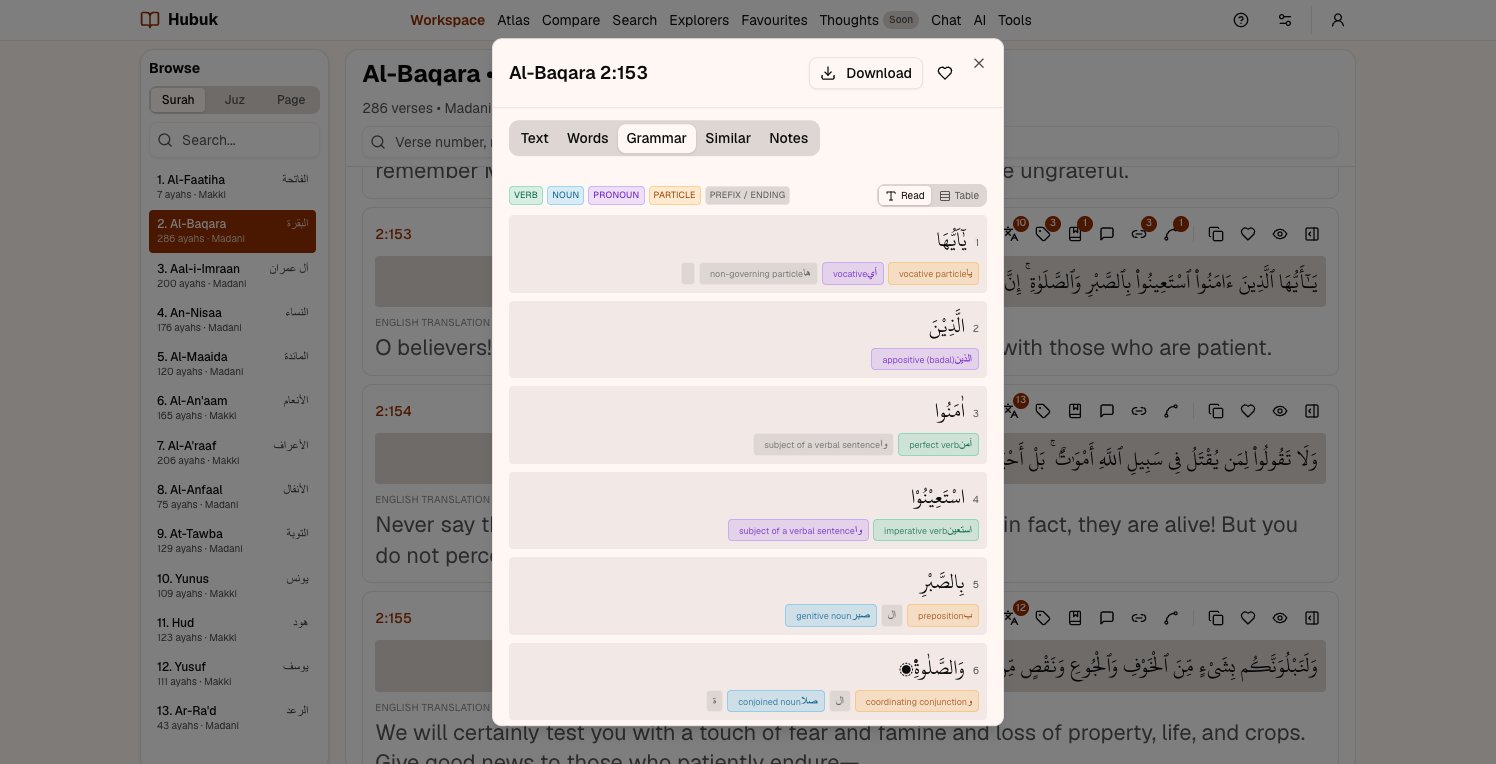
Grammar, word by word
Each word broken into its parts, with its role in the sentence in Arabic and English.
Search that combines
A root, a phrase and your own tags together — with AND, OR and NOT — matched within the same verse.
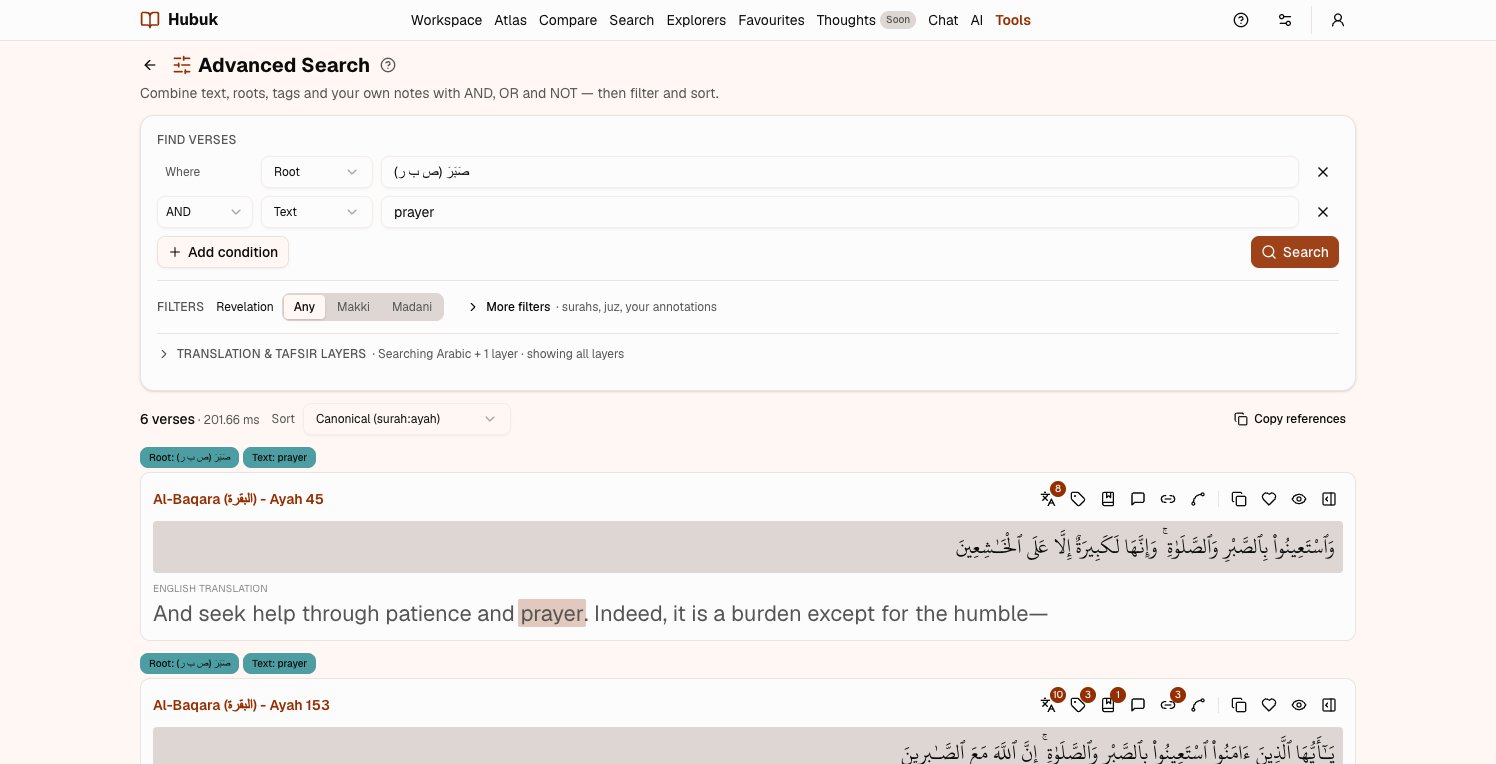
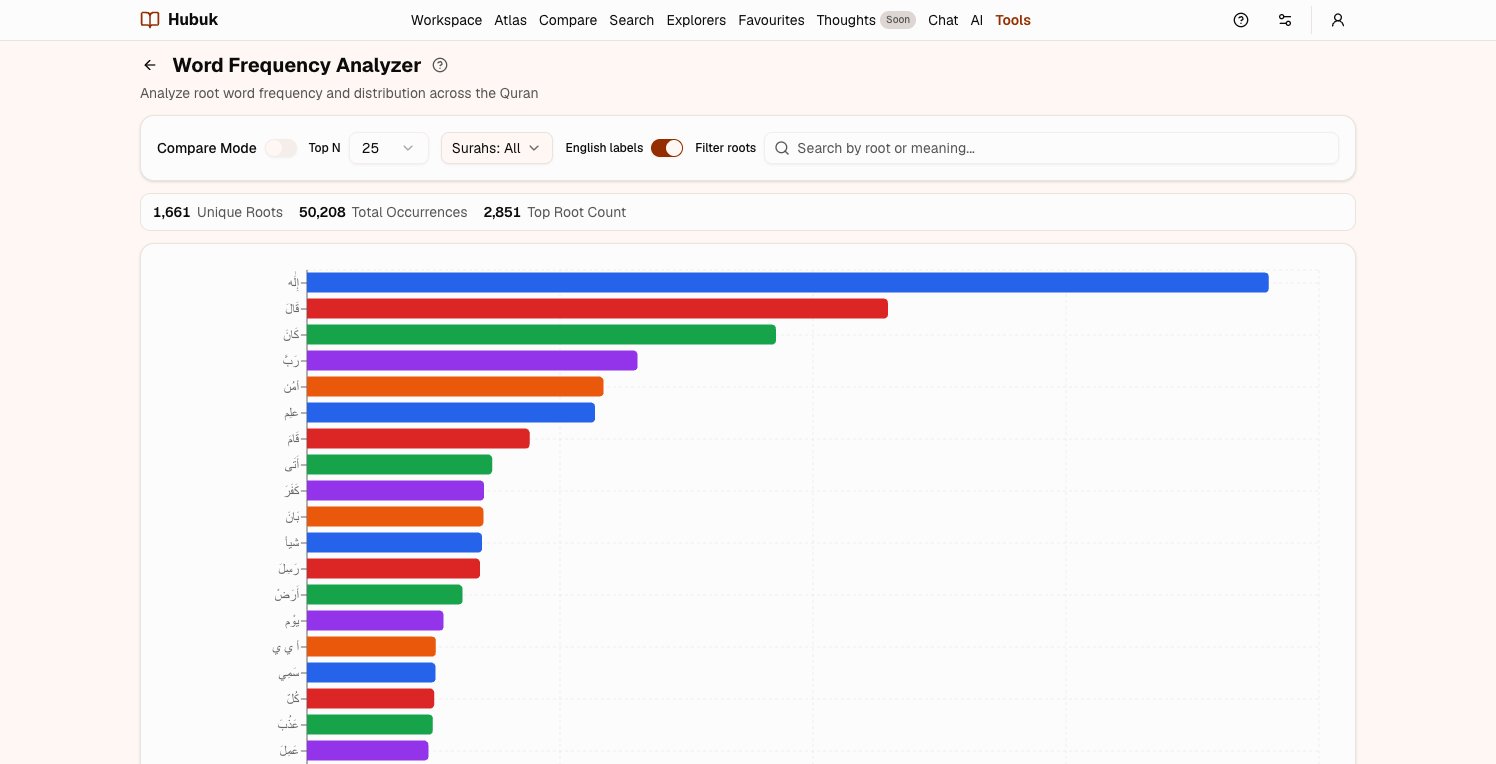
The whole Quran at a glance
Where a root falls surah by surah, which roots recur most, and which roots two surahs share.
What it compiles into
What a year of study actually looks like
Every screen below is the real application, with real annotations — not a mockup.
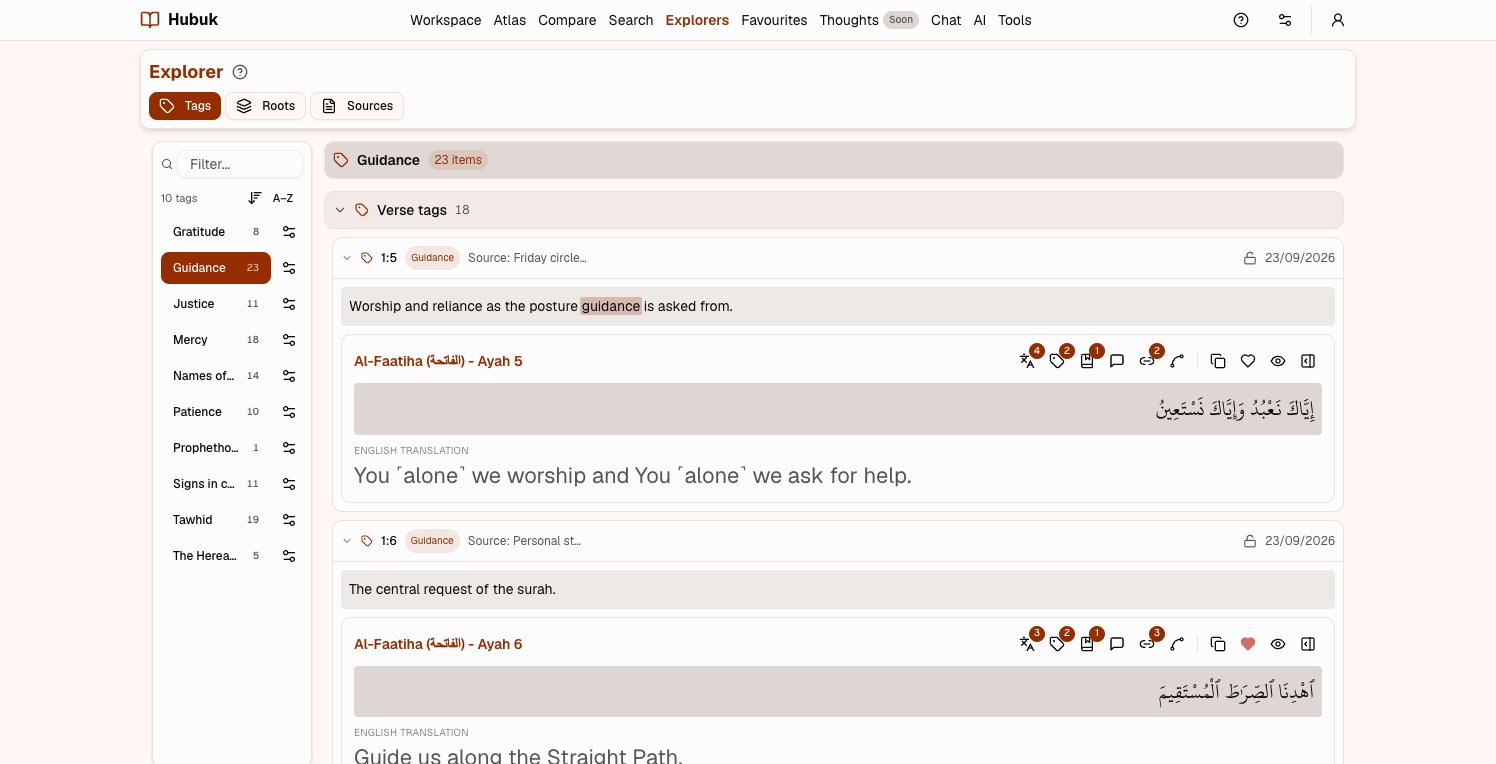
Every verse you filed under one idea, in one place
Pick a tag and the Explorer gathers every verse carrying it — full Arabic, your translations, and the note you wrote at the time. Themes you never set out to build show up on their own.
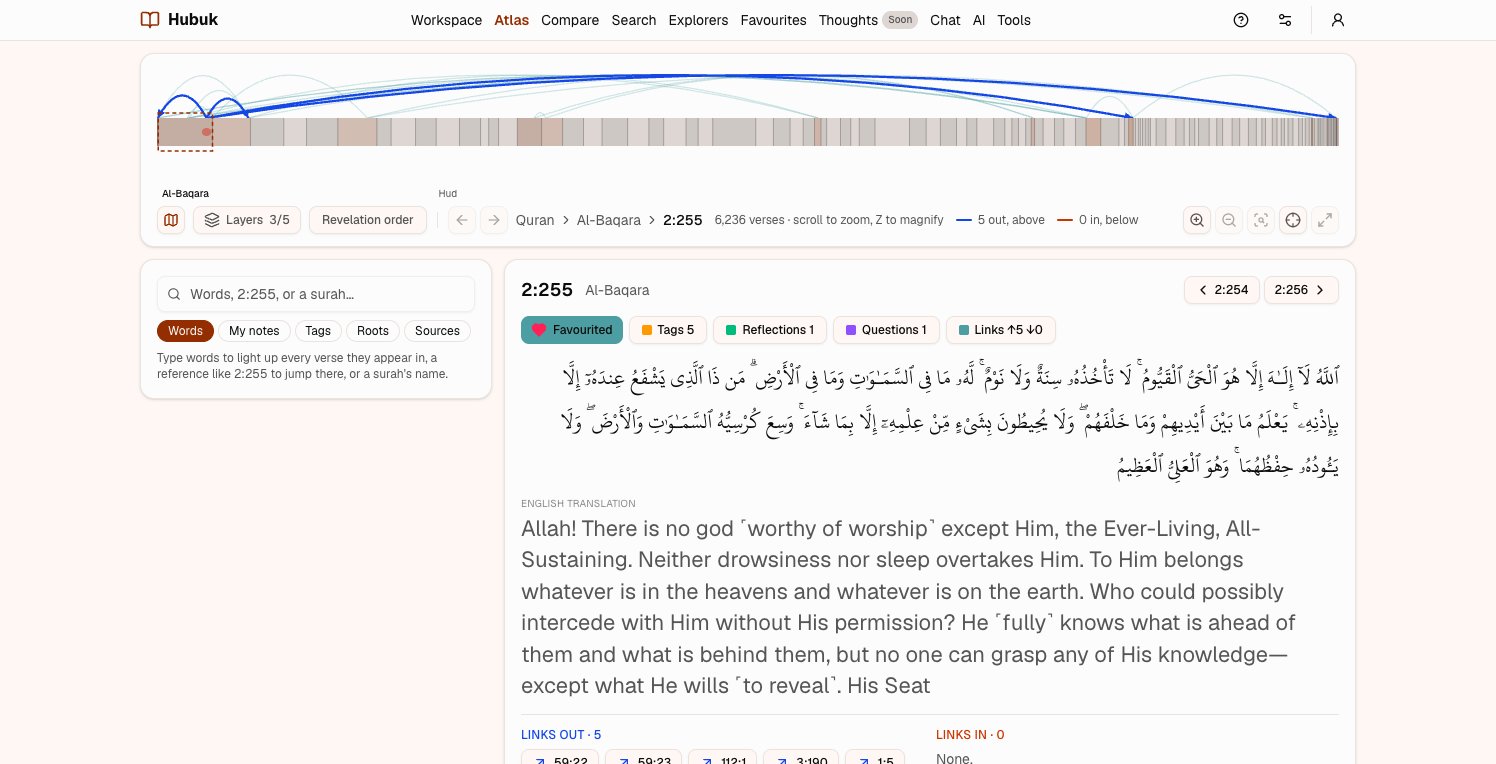
Your study, laid over the whole Quran
The Atlas draws all 6,236 verses as one strip, marks every verse you have written on, and draws your links as arcs between them. Open a verse to see what you linked it to, and follow the arcs from there.
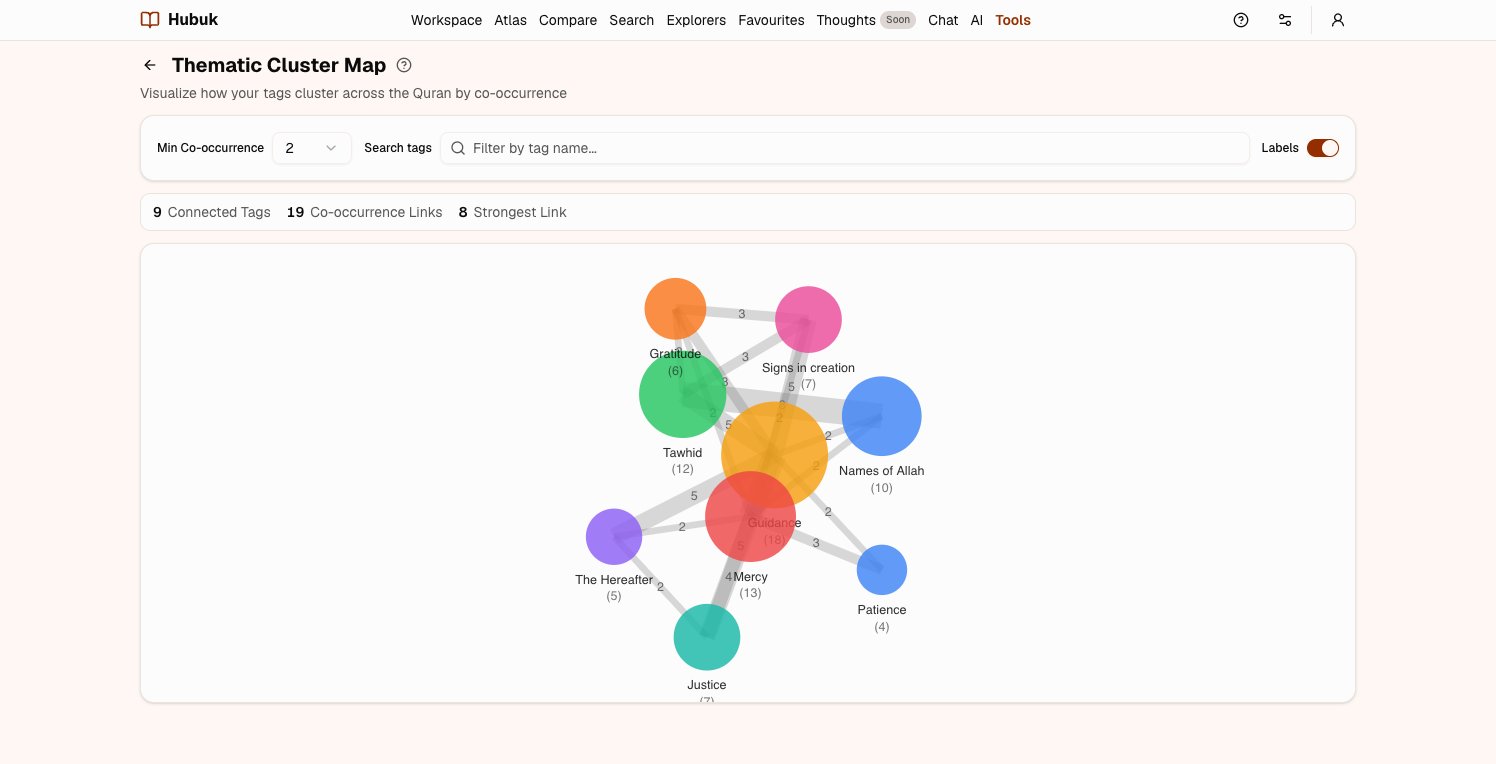
Watch your themes cluster
Tags that keep landing on the same verses pull together into a map. The thick edges are the connections you have made over and over without noticing.
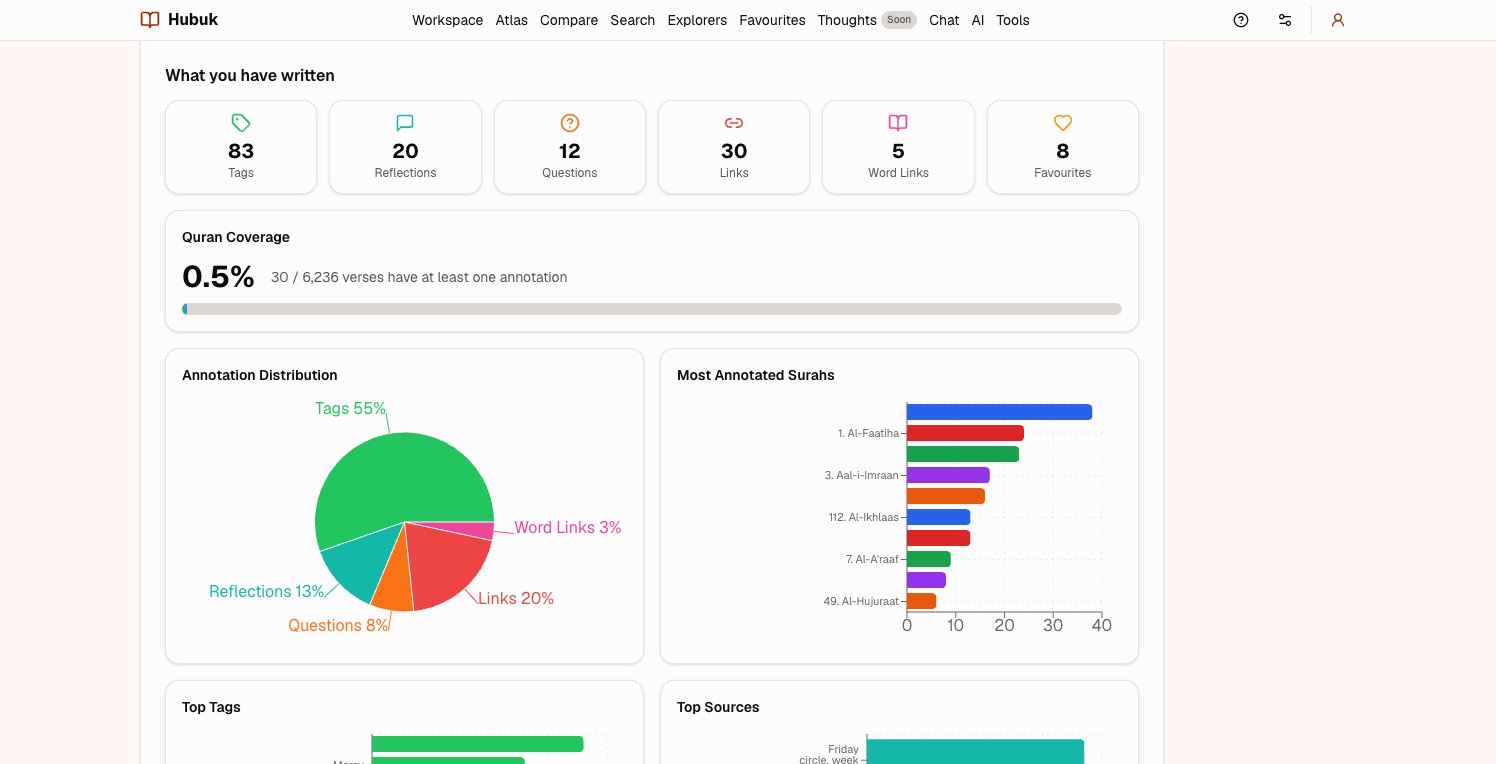
Know what you have covered — and what you have not
Coverage across all 6,236 verses, which surahs you return to, which sources you lean on. An honest picture of a long study, not a streak counter.
Built for how you study
Start from the study you already do
Each of these has a short guide that walks through it step by step.
Also in Hubuk
Reading, the way you like it
Read your way
Arabic with a choice of translations and tafsir in English and Urdu. Browse by surah, juz or page, and choose which layers show.
Side by side
Up to four surahs at once, each with its own find bar, so parallels are easy to see and link.
Voice input
Dictate notes in English, Urdu or Arabic, in browsers that support it.
ThoughtsSoon
Write what the verses bring to mind — a few lines or a long essay — with verses and your own notes woven in.
Private by design
Your study stays yours
Years of personal reflection belong somewhere you can trust — and leave with your work intact. What is measured, exactly
- Everything you write is private to your account. Nothing is shared.
- Usage is measured by which features were used — never the text of your notes.
- Download all of it, any time, as a zip with a README.
- Delete your account and everything goes with it.
Questions
Before you start
Most Quran apps give you a bookmark and a text box. Hubuk treats what you write as a body of knowledge: every note is tied to a verse, tags carry a meaning, verses and even single words can be linked to each other, and the Explorer, the Atlas and search gather it all back up. Roots, repeated wording and similar verses help you notice what to record in the first place.
Your understanding compounds with every session
Start free, and turn scattered notes into a connected map of the Quran that grows with you.